Full-Stack Product Project
Translatinator
Overview
Translatinator is a full-stack language learning platform designed to
help users refresh a familiar language while learning a new one through
interleaved translation, synchronized text-to-speech, and interactive
practice games.
The application supports typed input, file uploads, speech-to-text,
multi-language output, downloadable audio, premium subscriptions, and a
points-based system tied to games, themes, and a global leaderboard.
Key Features
- Raw text, PDF/TXT upload, and speech-to-text input
- Translation into multiple target languages
- Per-language voice and speed controls
- Sentence or paragraph-level alternating playback
- Clickable synchronized text highlighting during audio playback
- Downloadable and cloud-saved MP3 output
- Premium subscriptions, points, themes, and leaderboard
- Interactive language-learning games
What I Learned
This project taught me how to design a user-facing product that combines
frontend UX, backend orchestration, third-party APIs, cloud services,
monetization, and gamification. It pushed me to think about both the
technical architecture and the long-term product experience for users.
Prior projects did not have as much emphasis on user experience in comparison,
so building a web-app with users as the primary focus was a fresh learning experience.
Product Workflow
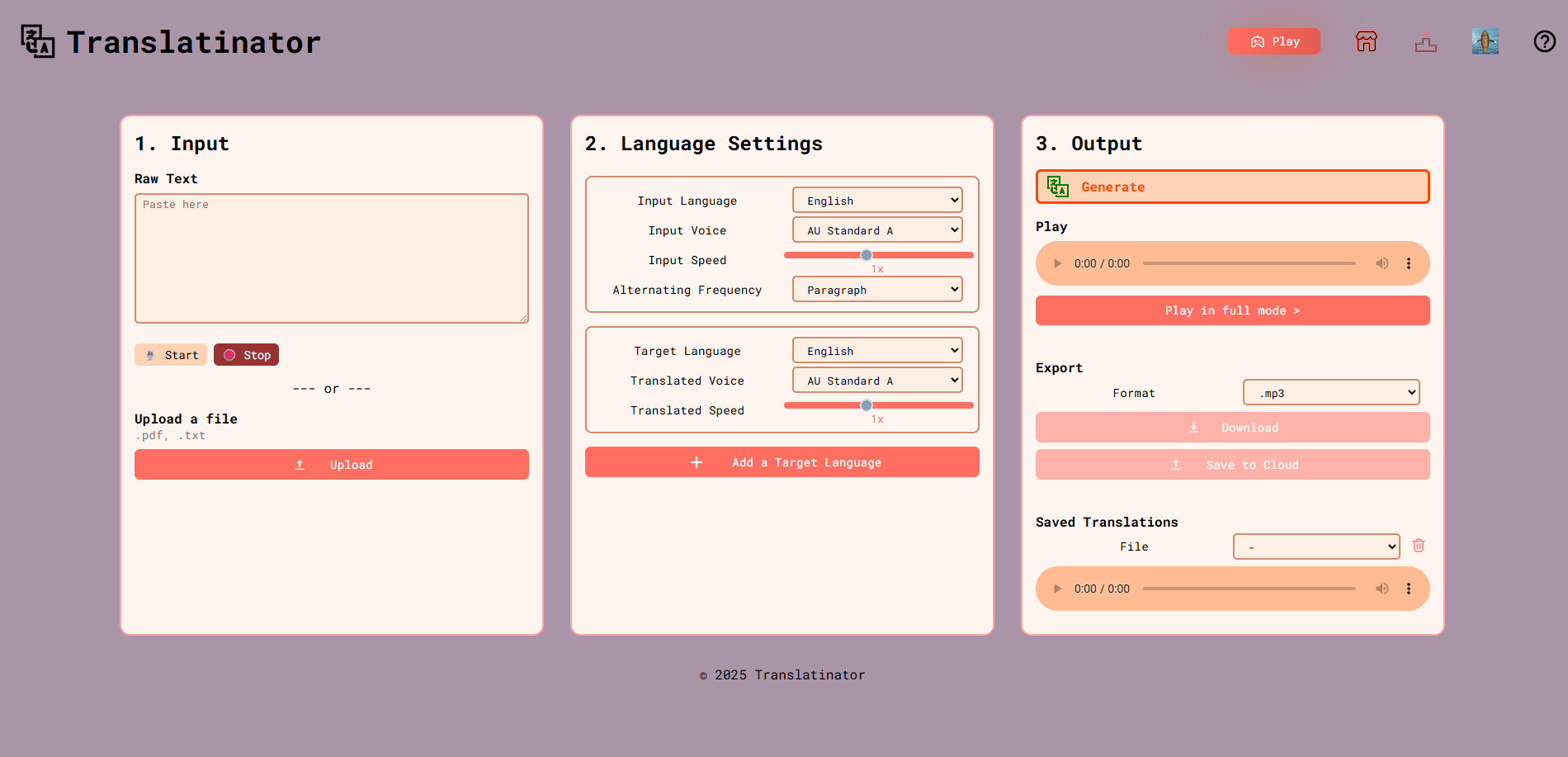
The core experience is organized around three steps: input, language
settings, and output. Users provide text, configure how translations
should be generated, and then listen through a full-play interface that
highlights text in sync with the generated audio.
Home Workflow
Main workflow showing input, language settings, and output in a single interface.
Language Settings
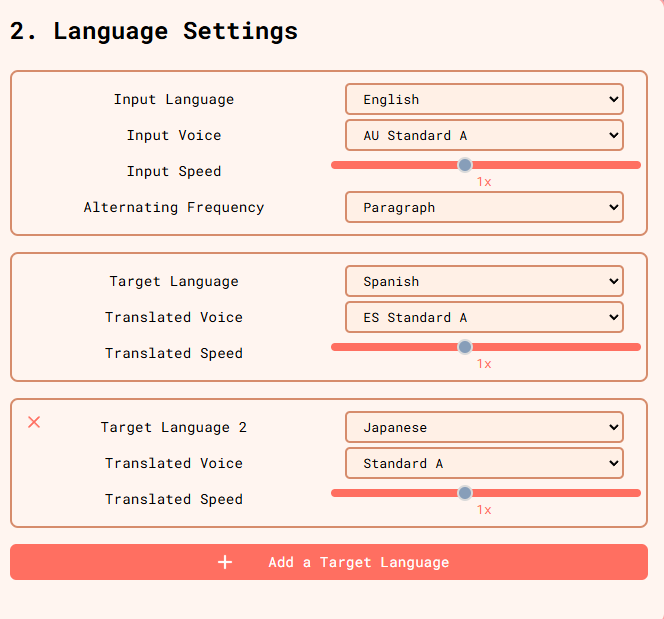
Users can configure input language, target languages, voices, speed,
and alternating frequency, with premium tiers allowing more target languages.
Full Play Mode
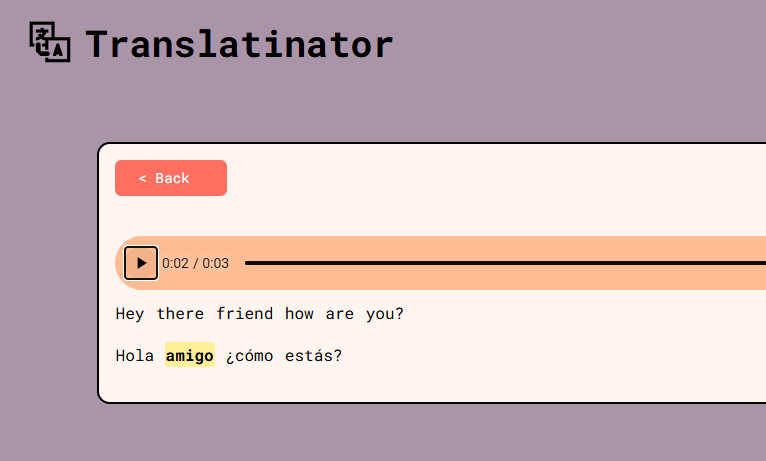
Generated translations are read aloud with synchronized highlighting,
and users can click into the text to jump within playback.
Input & Translation Pipeline
Users can enter text manually, upload PDF or TXT documents, or use
speech-to-text for supported languages. The app then translates the
input into one or more target languages and generates MP3 output with
configurable voices and playback speed.
Learning-Oriented Output
A core design decision was interleaved translation: instead of only
showing the final translation, the application alternates between the
original and translated content at the sentence or paragraph level to
reinforce comprehension and retention.
Interactive Games
To reinforce learning beyond passive listening, premium users can access
three language-focused games: Greeting Practice, Word Match, and Bingo.
These activities connect pronunciation, vocabulary recognition, and
listening comprehension to a shared point and rewards system.
Greeting Practice
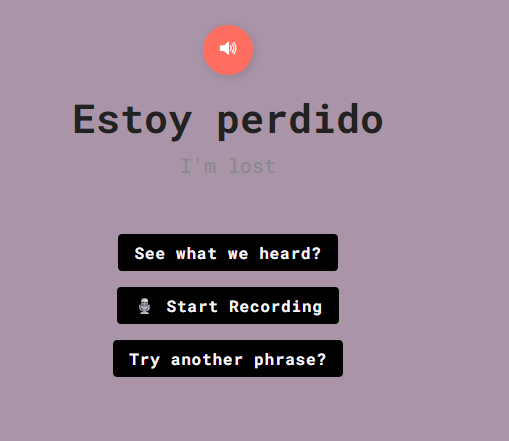
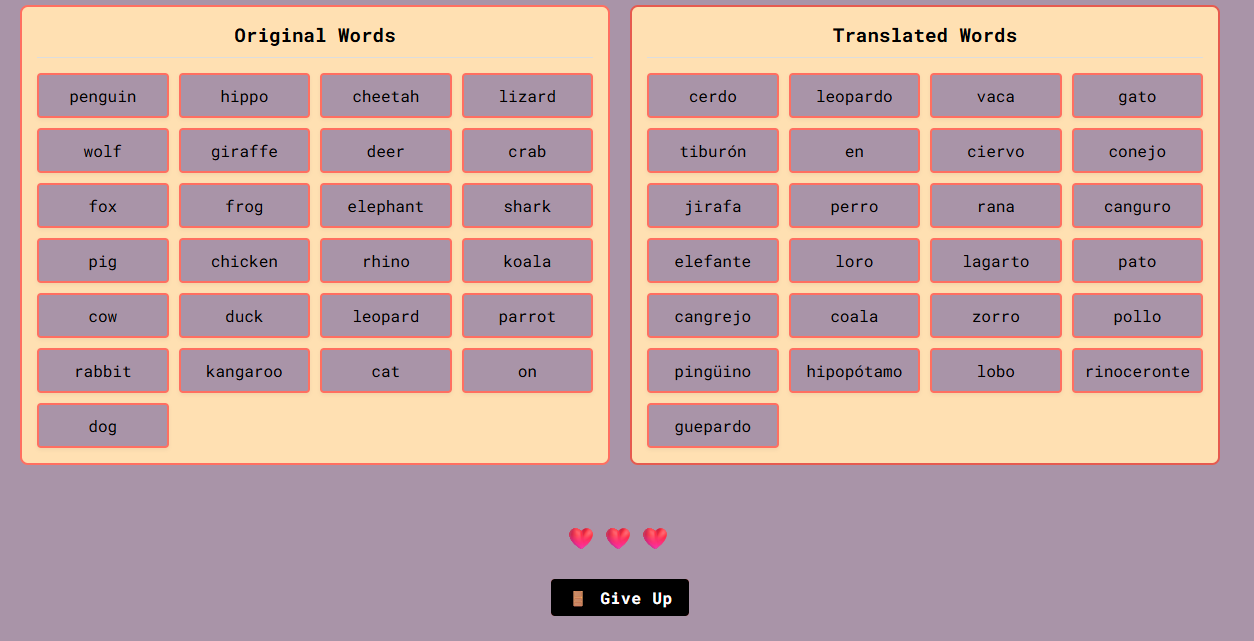
Pronunciation-focused practice with feedback, replay, and repeated attempts.
Word Match
Matching words across languages with a life system to discourage guessing.
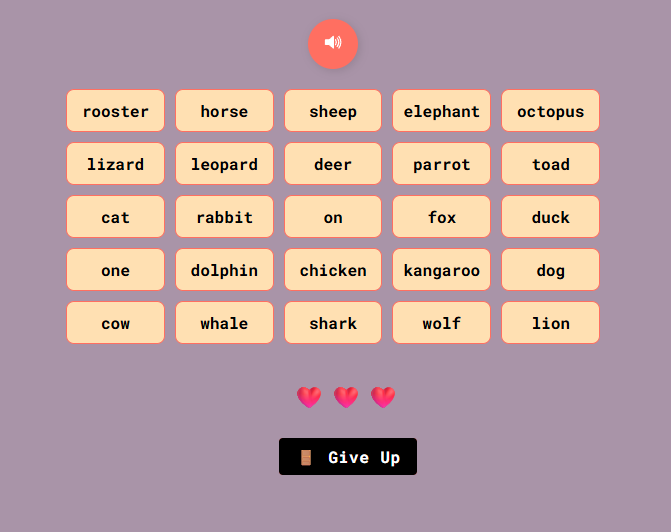
Bingo
Audio-to-word matching designed to strengthen listening comprehension.
Subscriptions & Monetization
Premium tiers unlock additional target languages, higher quality
voices, games, themes, fonts, and increased daily translation limits.
Stripe is used to manage subscription upgrades and billing flows.
Retention & Rewards
The application includes a global leaderboard, point accumulation from
translation and gameplay, and a shop for themes, fonts, and even a
free month of membership, giving users a reason to continue engaging
beyond one-time use.
Engagement Systems
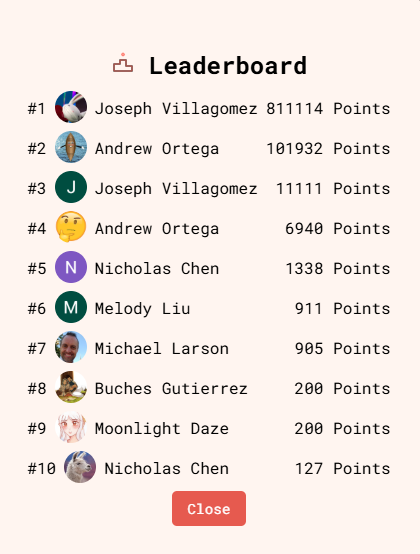
Leaderboard
Top users are ranked by points earned through gameplay and translation activity.
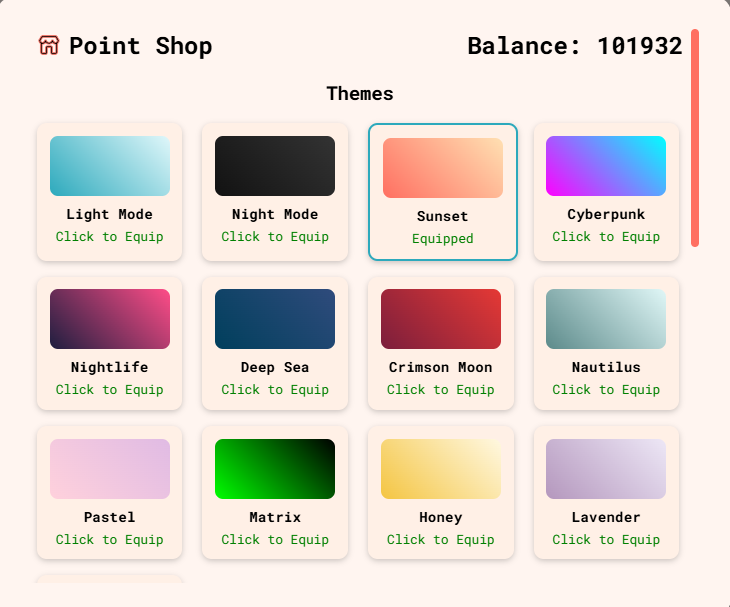
Point Shop
Users can spend earned points on themes, fonts, and membership rewards.
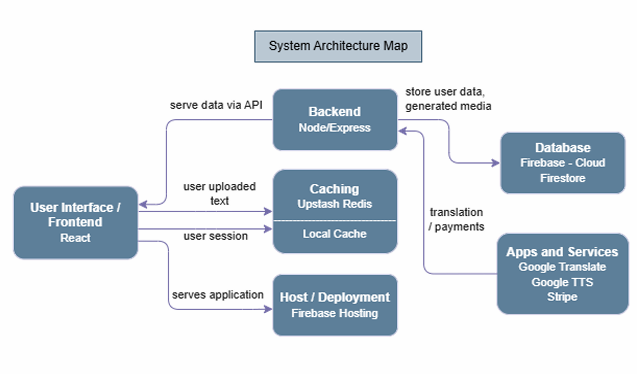
System Architecture
The architecture combines a React frontend with a Node/Express backend,
Firebase for hosting, authentication, storage, and database services,
plus integrations with Google Translate, Google Text-to-Speech, Stripe,
and Redis. The architecture diagram in the guide maps those relationships
directly.
Design Goals
The project was motivated by a gap in existing language-learning
products: beginner-oriented tools often do not work well for users who
want both a refresher in one language and guided exposure to another.
Translatinator was designed around customization, interleaving, and
repeatable practice to address that gap.
Challenges & Constraints
The product had to balance API cost, storage, rate limits, multi-step
media generation, and privacy/security concerns around authentication
and billing. Also had to cut out some features, such as full MP4
generation with TTS highlighting, remained in beta due to technical
complexity within timeframe.
Notes
Source code snippets available upon request due to collaboration constraints
and final product being property of the client who requested it.
This project was developed as a team product and documented through a
full user guide and requirements appendix.
Tech Stack
- Frontend: React
- Backend: Node.js / Express
- Database / Hosting: Firebase (Firestore, Auth, Hosting, Storage)
- APIs: Google Translate, Google Text-to-Speech
- Payments: Stripe
- Caching: Redis